Whether you use SharePoint, Google Drive, Dropbox, or any other platform to save files, ALWAYS set up a folder system template. The time saved by not having to hunt down a file is priceless. Remember, if you get hit by a bus, how will anyone else know where to look? [1]
…Well, Doris, it’s in the folder on the server where everything else lives.
This works both ways, too. What if you need to find something in a rush? If you have a folder template set up, it’s a quick right-click, duplicate, rename, and you are ready to rock.
Mandatories:
Organise by client: Do not set up folders by department (Strategists, I’m looking at you).
Use a standard naming convention: Lead with a unique reference code, followed by the project name.
Standardise subfolders: Group by phase or department—whatever works for your workflow—and stick to it.
Star or favourite it: Use Google's "Star" or Microsoft's "Favourite" feature so the main hub is always easy to find without digging through endless subfolders. [1]
IF EVERYTHING IS STORED THE EXACT SAME WAY, EVERYTHING IS EASY TO FIND.
DO NOT SAVE FILES TO YOUR PERSONAL DRIVE!
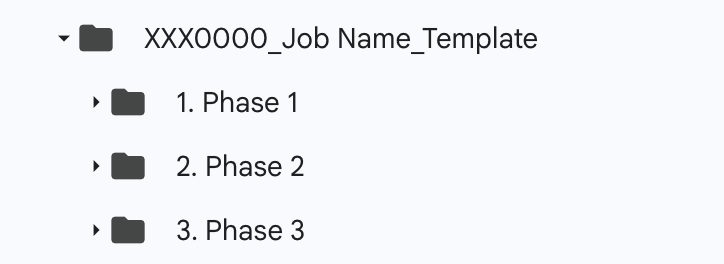
Simple folder structure
